
Broker Portal · Lender Submissions
Submit Complete Packages
to the Right Partners.
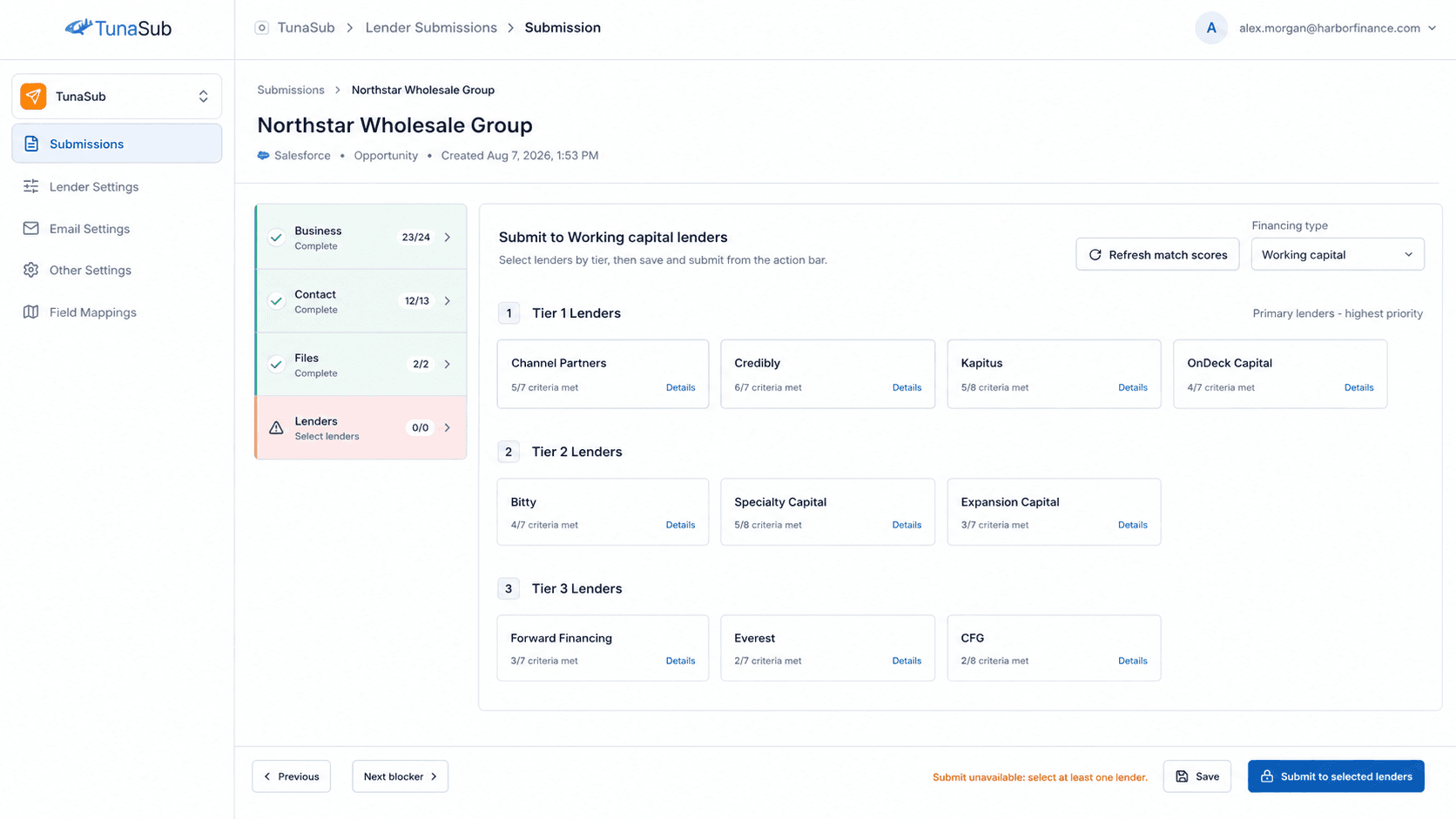
TunaSub, the lender submissions capability in the Big Tuna Broker Portal, organizes deal packages, partner criteria, match scores, submission history, and status tracking so your team can move faster with less manual sending.
What It Helps With
Built for cleaner workflows
and faster follow-through.
Partner Matching
Organize partners by type, tier, criteria, and match score so your team can quickly see where a package should go.
Submission Packages
Keep files, deal data, forms, and notes organized before sending a complete package.
API + Email Delivery
Send packages through API or email-based workflows depending on how each partner accepts submissions.
Status Tracking
Track selected partners, sent dates, failed submissions, resubmissions, and response history from one workspace.
Security Controls
Use document watermarking and contact protection workflows to reduce unnecessary exposure of sensitive client information.
CRM-Aware Workflow
Start from CRM records, mapped fields, and connected files so your submission process stays tied to the source of truth.
Workflow
How teams use it day to day.
Start with a record or package
Pull the opportunity, client data, and files your team already has.
Review partner fit
Use match scores, criteria, and tiers to choose the partners most likely to work with the package.
Send and track outcomes
Submit the package, monitor statuses, retry failures, and keep submission history in one place.